In the world of IT Asset Management, “boring” is actually a compliment.
When you are managing a hundred laptops and a dozen servers, you don’t want excitement. You want a tool that works exactly the way you think. You want a tool that stays out of your way.
As we prepare for the full Flottix launch, I wanted to share a look at v0.6. This version isn’t about the flashy AI or complex security audits (those are coming soon). It is about the foundation: the core features that keep your department running without the headache.
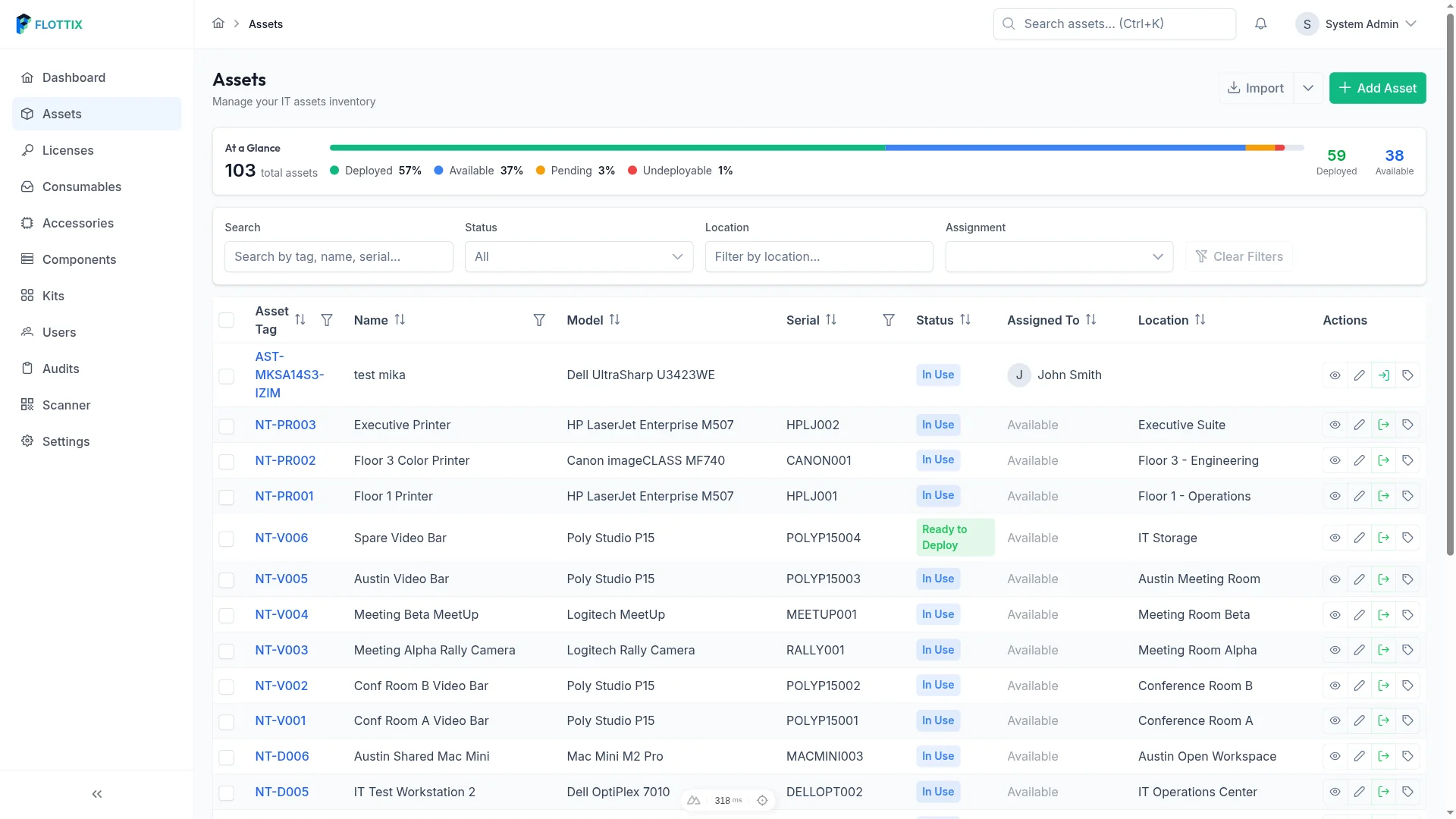
The “At a Glance” List View
Most ITAM tools fail because they make it hard to see the big picture. You’re forced to click through five different menus just to see how many laptops are currently “Available.”
In v0.6, we focused on the List View. We wanted it to be clean, fast, and highly filterable.

Whether you need to see every MacBook Pro currently “In Use” or identify which monitors are “Ready to Deploy,” the filters are right where you expect them. No more digging.
Accountability: The Check-in/Checkout Flow
The moment an asset leaves your storage room, its risk level doubles. Who has it? When are they bringing it back?
We spent a lot of time refining the Checkout experience. I’ve lived the nightmare of legacy tools where checking out a laptop felt like filling out a mortgage application. In Flottix, it is a single modal.
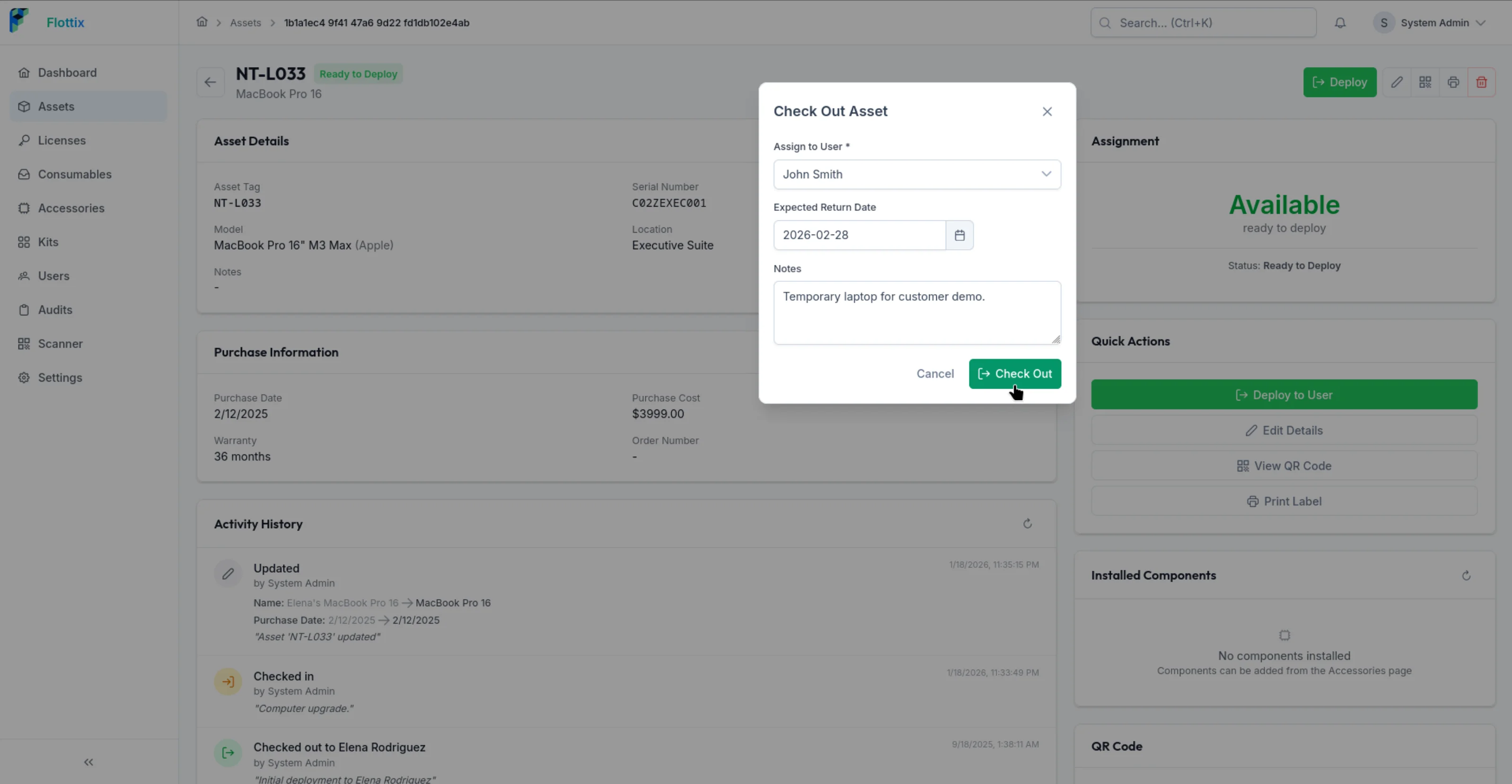
You select the user, set an expected return date, and hit “Check Out.” The audit log is updated instantly. It is simple, fast, and most importantly, it actually gets done because it isn’t a chore.
Real-World Speed: QR Codes and Asset DNA
Every asset in Flottix gets its own “Asset Detail” page, but we know you aren’t always sitting at your desk.
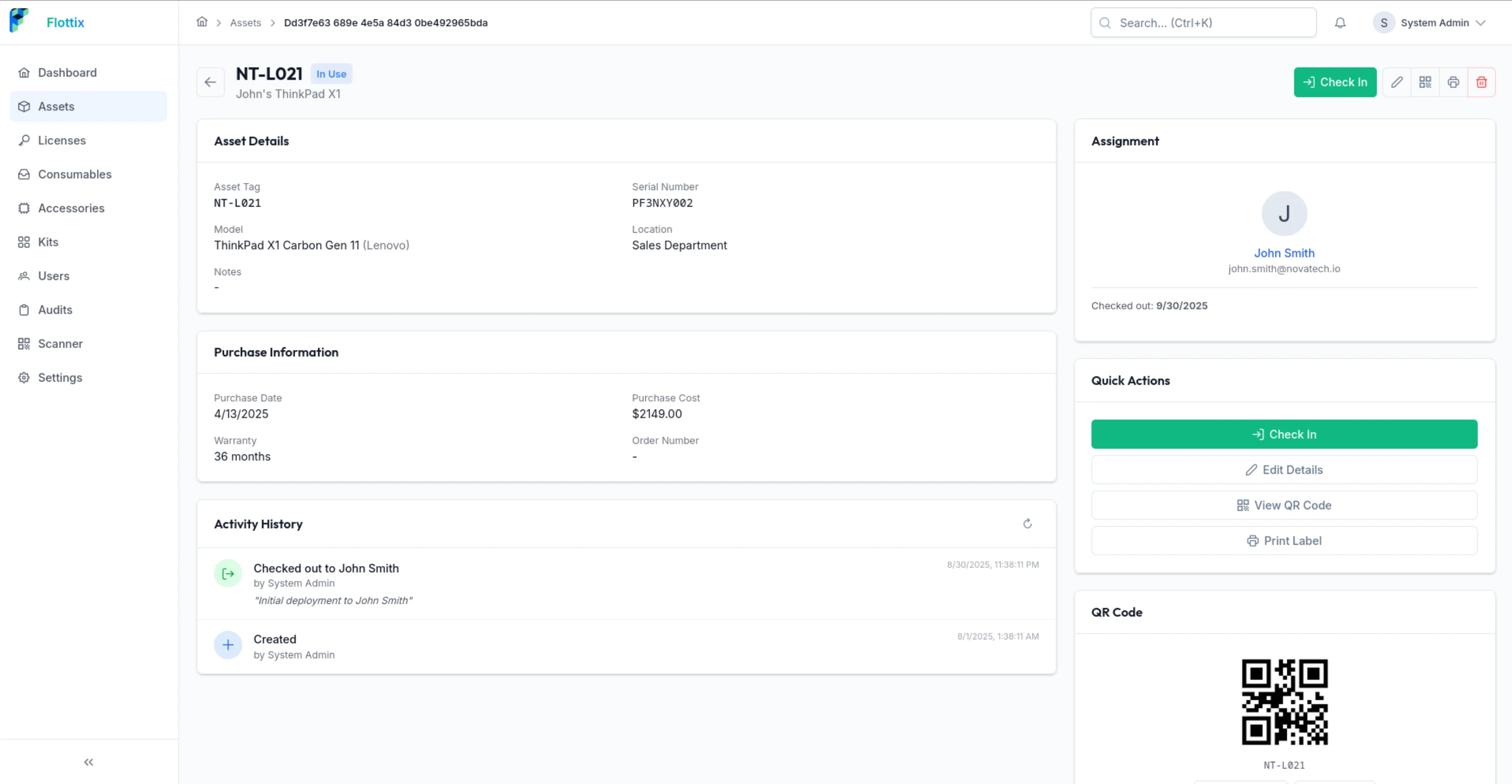
Each asset is assigned a unique QR code. When you are in the server room or at a storage locker, you just scan the label. You get instant access to the Purchase Information, Warranty Status, and the Activity History.
It is about removing the friction between the physical hardware and the digital record.
Why “Managed” Beats “DIY” for Version 0.6
One thing I really want to emphasize is that Flottix v0.6 is a Managed Platform.
If you’ve used self-hosted tools in the past, you know the routine: you spend half your time updating Python environments, managing PostgreSQL versions, and hoping your backup script actually works.
With Flottix, that work is gone. We handle the infrastructure, the security patches, and the rolling updates. You just log in and manage your assets.
What’s Next?
This is just the beginning. While v0.6 masters the basics: CRUD, Lists, and Assignments: v0.7 is already in the oven with deeper license management and security scanning features.
But don’t take my word for it. The best way to understand Flottix is to see it in action.