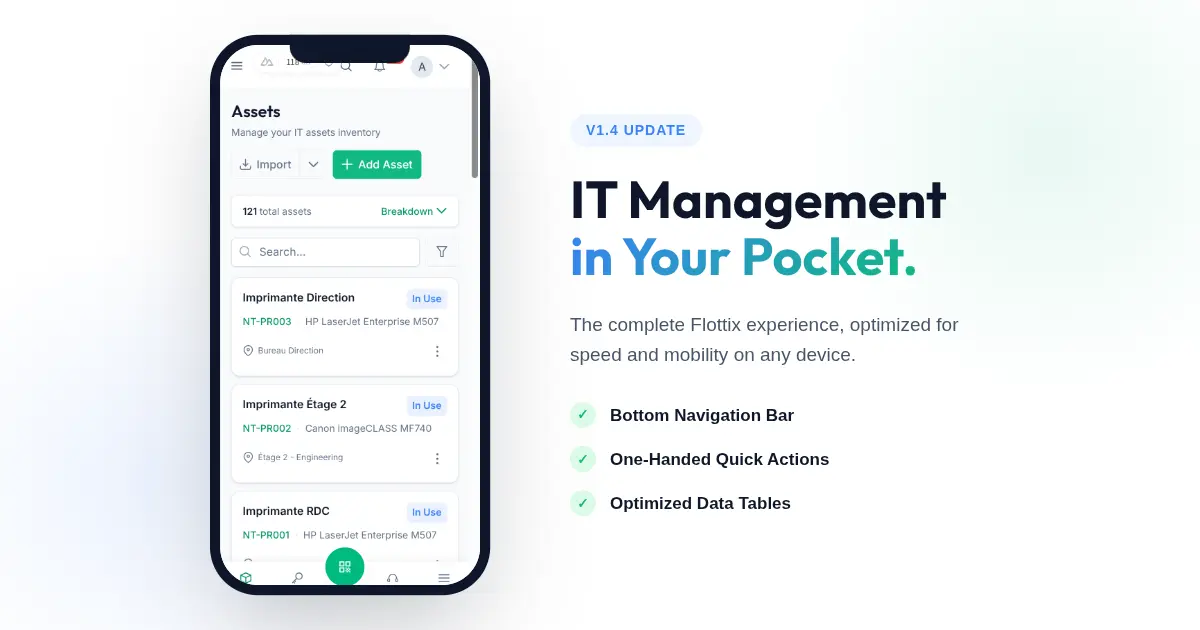
IT work doesn’t just happen at a desk. You are in server rooms, under desks, and walking between offices. Your IT Asset Management tool needs to be just as mobile as you are.
While our desktop application provides a comprehensive view of your entire infrastructure, trying to use complex data tables on a 6-inch screen has historically been a challenge. We realized that true mobility requires more than just a responsive design; it requires a tailored mobile experience.
In Flottix v1.4, we are thrilled to introduce a complete redesign of our mobile navigation, bringing desktop-class power to your pocket.
A True Mobile-First Experience
We have fundamentally rethought how you interact with Flottix on your phone. Instead of hiding critical features behind complex menus, we’ve brought them to your fingertips.
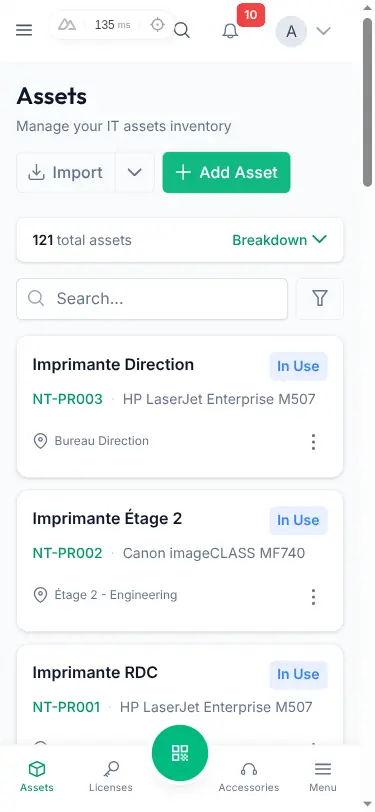
The new Bottom Navigation Bar gives you instant access to your most important modules: Assets, Licenses, Accessories, and Consumables. No more reaching for the top of your screen or digging through a hamburger menu just to switch contexts. Your inventory is always one tap away.
Quick Actions on the Go
When you are away from your desk, speed is everything. You usually have a specific task in mind: checking out a laptop, auditing a server, or assigning a license.
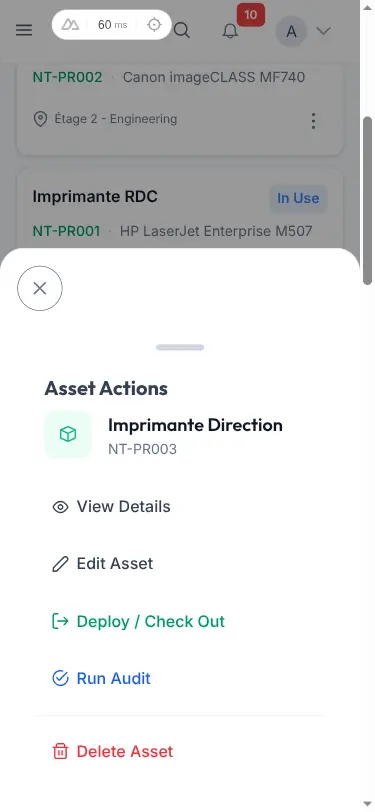
We’ve introduced context-aware Quick Actions that slide up smoothly from the bottom of the screen. Whether you are viewing an asset’s details or browsing a list, the most relevant actions—like Check-Out, Edit, or Audit—are instantly accessible, designed perfectly for one-handed use.
Optimized Data Density
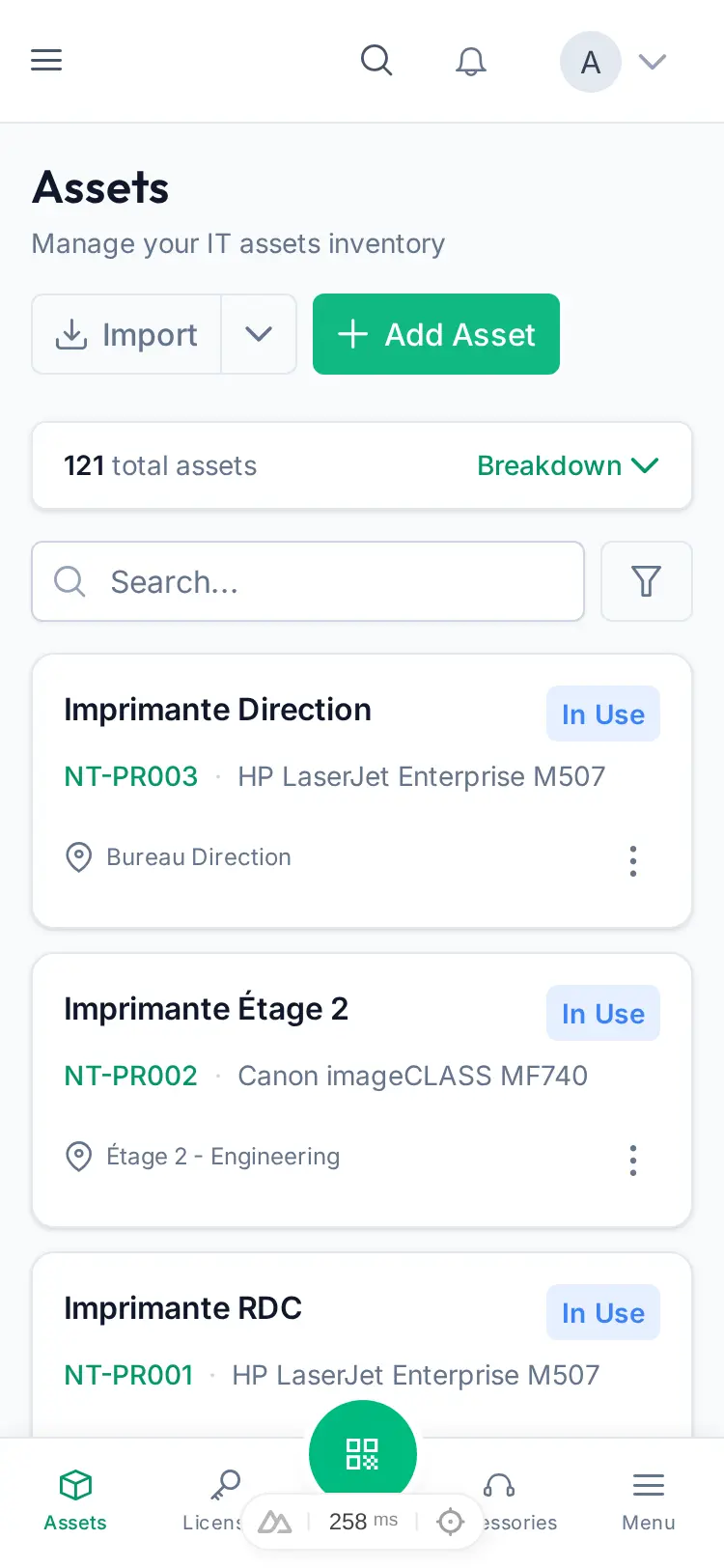
A common problem with mobile interfaces is information overload. We’ve redesigned our mobile data views to prioritize the information you need right now, without overwhelming the screen. Data is structured cleanly, ensuring that status labels, asset tags, and assignments are instantly readable, even when you are on the move.
The goal of Flottix has always been to make IT management feel invisible. With the new mobile navigation in v1.4, managing your inventory on the go is no longer a compromise. It is exactly how it should be: fast, fluid, and always at hand.